

People who hire a construction or industrial company are rarely browsing for fun. They have a project, a deadline and a budget, and they are comparing a handful of firms. Your website has to prove three things quickly: you do this kind of work, you do it well and safely, and it is easy to get a quote.
This guide covers what a construction, manufacturing or industrial company website needs, then lists eight free website templates you can start from.
Key takeaways
- A project portfolio with real photos and details is the most persuasive page on a construction website.
- Show certifications, safety record and insurance clearly. For commercial clients they are often a requirement, not a nice-to-have.
- Make requesting a quote the main action on every page, with a short form and a phone number.
What a construction or industrial website needs
Clear services and sectors
Say plainly what you build or make and for whom: residential extensions, commercial fit-outs, steel fabrication, industrial maintenance. Give each main service its own page with the typical scope, the kinds of clients you work with and a few project examples. Separate pages also help you rank for each service in search.
 FreeHTML
 FreeHTML
A project portfolio with substance
A gallery of photos is good; a set of short case studies is better. For each project, include the location, client type, what you delivered, the timeframe and one or two challenges you solved, plus before, during and after photos. Let visitors filter projects by service or sector so they quickly find work like theirs.
Trust signals up front
List your licenses, industry memberships, quality and safety certifications, insurance and years in business. Commercial and public-sector buyers often need this information for their own approval process, so make it easy to find, and offer downloadable documents where appropriate. Client logos and short testimonials from named contacts add weight.
A simple quote request
Put a “Request a quote” button in the header of every page. Keep the form short (name, contact details, project type, location, rough timeframe and an optional file upload for drawings) and say how quickly you respond. Show a phone number too; many buyers still prefer to call.
Service areas and contact details
List the regions you cover, with a map on the contact page, and keep your business name, address and phone number identical on your website and Google Business Profile. For local searches like “commercial builder near me”, this consistency matters.
Team and careers
Photos of your real site teams and project managers make a big company feel approachable and a small one feel established. A careers page is worth adding too: skilled workers look at your website before they apply.
Design tips for construction websites
- Use your own site photos. Stock images of hard hats are everywhere. Real projects, even photographed on a phone, are far more convincing.
- Keep the palette practical. Yellow, orange and dark gray are common for a reason, but make sure text on bright colors still has enough contrast.
- Compress large photos. Project galleries are image-heavy. Serve images at the size they are displayed and use modern formats such as WebP so pages stay fast on site, on mobile data.
- Write for the buyer. Lead with outcomes (on time, on budget, safely) rather than a long company history.
Before you build the quote form, ask whoever answers your phone what they need to know to price a job. It’s usually the type of project, the location, a rough size and the timeline. Ask for those and nothing else, because every extra field costs you inquiries.
Free construction and industrial website templates
These are free HTML templates. Check which pages each one includes, and plan to add your own projects page and quote form if they are missing.
Invory

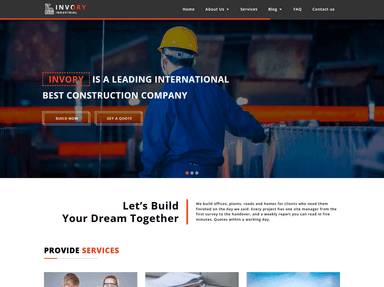
A construction company template with a full-width image slider, services and an FAQ page in the menu. A solid base for a general contractor.
Produxon

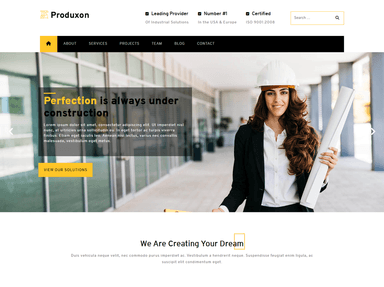
Aimed at manufacturing firms, with trust points (certified, industry leader) in the header and services, projects and team pages in the menu.
HomeApart

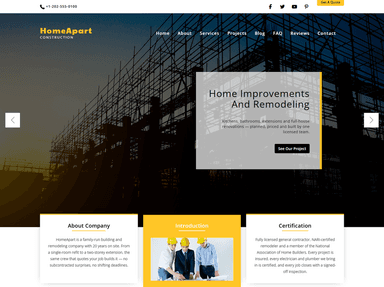
Built for home improvement and remodeling companies, with process, portfolio and team sections in the menu. The “process” page is a nice touch for explaining how a project works.
Construct

A dark, image-led Bootstrap template from W3Layouts with portfolio, services and team pages.
Fabricator

Suits fabrication and maintenance companies, with contact details and opening hours in the top bar and a projects section.
Construction by Colorlib

A bright, warm design with a big “Build your dream” headline and icon-led service highlights. Good for residential builders.
TOPBuilder by Colorlib

A clean multipurpose builder template with contact details and hours in the top bar, and services and gallery pages.
Incostructor (interior design and fit-out)

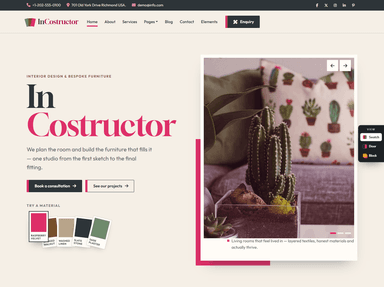
Not a construction template as such, but a good fit for interior design, architecture or fit-out firms, with a softer, portfolio-led style.
Need something more than a template?
If your team will add projects every month, a WordPress site with a proper projects section is easier to keep up to date than an HTML template. ThemeVault’s industrial templates and business templates are good starting points, or our partner agency can build it for you, including quote forms and local SEO.
Frequently asked questions
What should a construction company website include?
Services, a project portfolio with photos and details, certifications and insurance, testimonials, service areas, team, and a simple quote request form with a phone number.
How can a construction website get more leads?
Make the quote request the main button on every page, keep the form short, show real projects similar to what the visitor needs, and keep your Google Business Profile consistent with your website for local search.
Should I use a free template or a custom design?
A free template is fine to get online quickly. As you add more projects and services, a WordPress site or custom build makes updates easier and gives you more control over SEO and speed.


